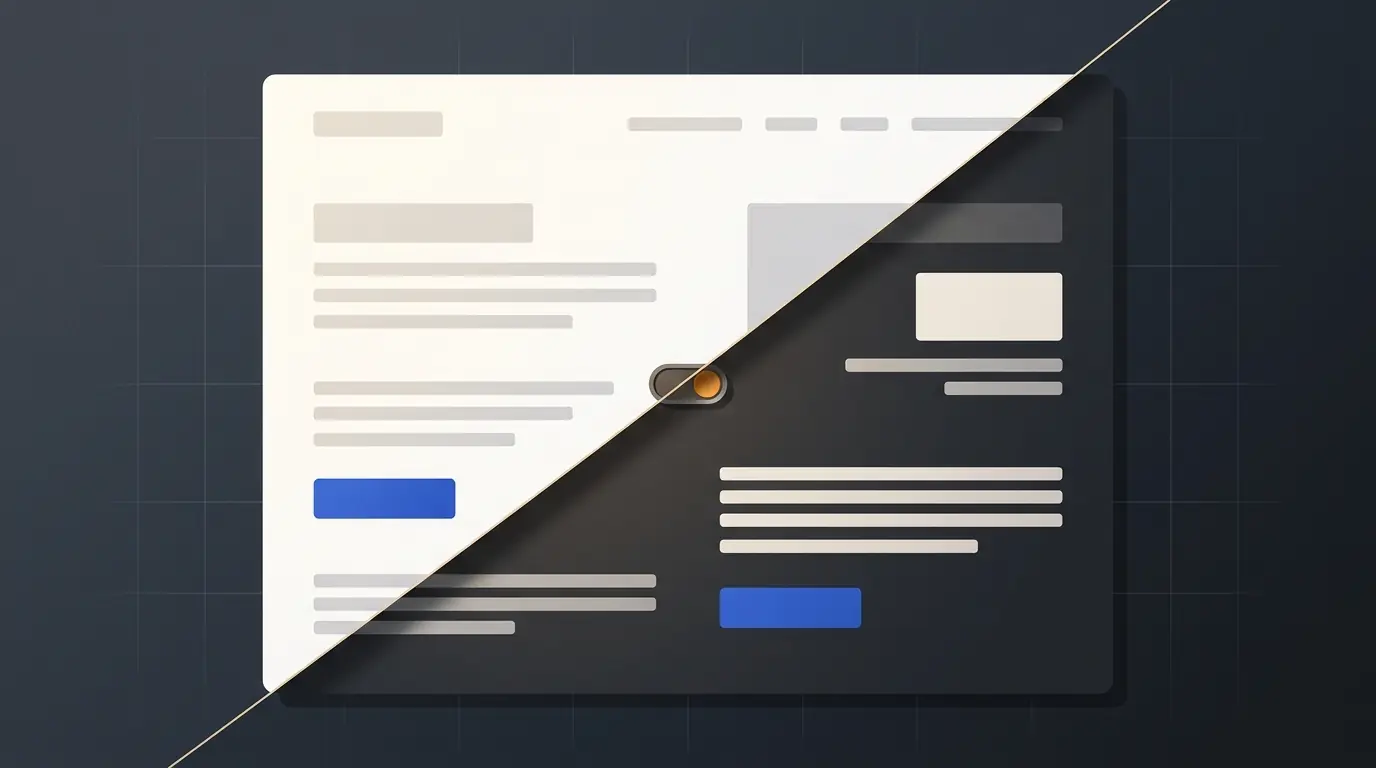
Safari's Adaptive Dark Mode, added in the Safari 27.3 beta on November 3, 2026, repaints light websites dark for anyone who turns it on. Whether your site gets repainted comes down to one CSS property, color-scheme. Declare light dark and Safari leaves you alone. Declare nothing, or just light, and Safari inspects your colors and inverts them if the page looks bright. The documented opt-out, light only, is ignored in beta 1.
In the announcement post, the WebKit team says "almost 40% of web page loads are from users in dark mode, and yet only 10% of page loads support it." We wanted to know which side of that line real sites are on, so we crawled 100 developer documentation sites and the top 400 domains of the Tranco list in Chromium with a dark system preference, and ran nine color-scheme setups through Chromium 158's own automatic dark mode, which reads the same property. Two common setups on sites that do ship a dark theme still got darkened, and a third is a risk nobody has measured yet.
What Safari 27.3 does to a light page
Adaptive Dark Mode is opt-in for users. The system appearance has to be dark, then Safari offers a preview on a bright site and the user taps "Try". From then on, WebKit runs a color pass on pages that have not declared dark support. The post describes a color matrix built "to invert the luminosity of colors while preserving hue", so a white background becomes dark, dark text becomes light, and your brand blue stays blue. Text is pushed toward the WCAG 4.5:1 contrast ratio. Light CSS gradients are transformed to dark too.
Images get a lighter touch. Most bitmaps are left alone, but WebKit analyzes pixel histograms and inverts simple black-and-white logos, and it inspects SVGs and recolors them when needed. <canvas> content is never changed, and masks or mix-blend-mode effects may be switched off on transformed elements.
Product teams should worry most about canvas. Charting libraries that draw to canvas will keep their white plot area inside an otherwise dark page. One Hacker News commenter spotted exactly that in WebKit's own demo screenshot: "the chart remains white, creating a stark contrast with the rest of the page." If your dashboard renders charts to canvas, Safari will not fix them for you, and you cannot see from your code that it happened (more on that below).
Apple's release notes list the feature under Rendering with the tracking number 189226811, and the 27.3 beta (build 20626.1.12) is available for macOS 26 and Sequoia as well as the 27.3 OS betas. Neither the notes nor the post say which of those platforms get Adaptive Dark Mode or when 27.3 ships, so treat the feature as beta behavior that can still change.
The declarations that decide, tested
WebKit's post gives two rules. Pages that declare <meta name="color-scheme" content="light dark"> or color-scheme: light dark are untouched: "Adaptive Dark Mode does not change a thing." Every other page gets a quick analysis, and if it "has a light appearance, Adaptive Dark Mode adapts the page to be dark."
That leaves a lot of real-world setups in between. We could not run Safari 27.3 itself (our machine has Safari 27.0.1), but the behavior is defined in the CSS Color Adjustment spec, which lets a browser override the color scheme and "auto-adjust" colors unless the author used only. Chromium has had its own version of that override, Auto Dark Theme, since a Chrome 96 origin trial on Android in 2021, and desktop Chrome still carries it behind the enable-force-dark flag. We ran each setup through Chromium 158.0.8127.18 with the DevTools protocol's Emulation.setAutoDarkModeOverride, a dark system preference and a plain white page. Same property, different engine. The spec calls the adjustment details "UA-defined", so the right-hand column is Chromium's answer and the middle column is what WebKit has documented.
| Setup on a white page | Safari 27.3, per or inferred from WebKit's post | Chromium 158 auto dark, on our run |
|---|---|---|
| No declaration | Analyzed, adapted if light | Darkened |
:root { color-scheme: light } | Not a dark declaration, analyzed | Darkened |
Dark theme behind an html.dark class, class not set | Analyzed, adapted if light | Darkened |
@media (prefers-color-scheme: dark) styles, no declaration | Page is already dark, left alone | Own dark colors kept (rgb 32, 48, 64) |
<meta name="color-scheme" content="light dark"> with a hard-coded white body | Untouched | Stayed white |
:root { color-scheme: dark } with a hard-coded white body | Not documented; WebKit names only light dark | Stayed white |
:root { color-scheme: light only } | Documented opt-out, ignored in beta 1 | Stayed white |
<meta name="color-scheme" content="only light"> | Same value, ignored in beta 1 | Stayed white |
color-scheme: light only on one element only | Documented per-element opt-out | Page darkened, element stayed white |
If your dark theme follows the system setting through prefers-color-scheme, the page is already dark when it loads, and in Chromium it kept its own colors even with no declaration. Sixteen of the developer docs sites we crawled declare nothing yet render dark under a dark system setting, including go.dev, vite.dev, the Postgres docs and the WebKit blog itself.
Two setups that still get repainted, and one nobody has tested
Having a dark theme is no guarantee. Two common setups were darkened in our run. A third hinges on timing WebKit has not documented.
The theme toggle that ignores the system
Plenty of sites put dark mode behind a button that adds a dark class to the root element and store the choice in local storage. A visitor who has never clicked the button gets the light theme, even with their OS in dark mode, and the page declares nothing. That page looks light to Safari's analysis, so it gets the generic inversion instead of the dark palette your designers built. In our Chromium run, the class-toggle page was darkened exactly like a page with no dark theme at all.
Tailwind CSS makes this pattern a one-liner. Its dark variant follows prefers-color-scheme by default, but the docs show how to switch it to a class with @custom-variant dark (&:where(.dark, .dark *));. If you made that switch when you moved your Tailwind v4 config into CSS, Safari will treat your first-time visitors' view of the site as a light page.
Declaring light and meaning it as a default
color-scheme: light tells the browser the element supports a light scheme. It does not forbid anything. Chromium darkened our :root { color-scheme: light } page the same as an undeclared one, and only light dark counts as support in WebKit's description. Tailwind's color-scheme docs show <html class="scheme-light dark:scheme-dark">, which is correct for a site whose dark variant follows the system. Paired with a class-based dark variant, it resolves to plain light for anyone who has not clicked the toggle.
Declaring it from JavaScript, late
Some theme scripts set the color scheme after hydration. WebKit asks you not to: declare it "using the color-scheme meta tag in your HTML head and/or by setting the color-scheme property on :root or body in your CSS. Don't wait to inject this information later via JavaScript." The post does not say what happens if the declaration arrives after Safari has analyzed the page, and we could not test it, so the safe choice is a declaration that is in the HTML before the first paint.
For a class-toggle site, the fix is to declare both schemes on the root and switch the used scheme with the class:
:root {
  color-scheme: light dark;
  --bg: #ffffff;
  --text: #1b1f24;
}

@media (prefers-color-scheme: dark) {
  :root:not(.light) {
    --bg: #121417;
    --text: #e6e8eb;
  }
}

:root.dark {
  color-scheme: dark;
  --bg: #121417;
  --text: #e6e8eb;
}

:root.light {
  color-scheme: light;
}

body {
  background: var(--bg);
  color: var(--text);
}
We ran that stylesheet in Chromium 158 and WebKit 27.2 with both system settings and all three class states. With a dark system and no class, the root computes to light dark and the body to rgb(18, 20, 23); a light class gives light and white; a dark class gives dark in both system modes. One judgment call remains: a visitor who explicitly picked light while their system is dark ends up on plain light, which Safari treats as adaptable. If that choice should stick, make it light only once Safari honors the keyword.
The important part is the media query. Declaring light dark without dark styles that apply to visitors who never touched the toggle creates the opposite problem.
Declaring light dark is a promise
Row five of the table is the trap on the other side. A page with <meta name="color-scheme" content="light dark"> but a hard-coded white background stayed white under Chromium's auto dark mode, and so did a white page declaring plain dark. The plain dark case is a Chromium result only; WebKit's post names light dark as the declaration it leaves completely alone. The declaration still has an effect: per the spec, the used color scheme sets "the default colors of form controls and scrollbars", which implies a dark-mode visitor can get dark native inputs and scrollbars on your white page. We did not screenshot that case.
So light dark is not a cheap way to stop Safari touching your site. It tells every browser that you have done the dark mode work. If you have not, the honest declarations are nothing (let Safari adapt you) or light only (keep the page light).

The opt-out you can declare today, and Safari ignores
The WebKit post documents <meta name="color-scheme" content="light only"> and color-scheme: light only as the way to keep a page or a single element light. Then comes the note that matters for anyone shipping this month: "the 'only' keyword is not supported in Safari 27.3 beta 1. Check back as Adaptive Dark Mode evolves through the beta process."
A reply near the top of the Hacker News thread quoted the meta tag without it, and another commenter wrote that "it's good that Safari respects it." In beta 1 it does not. A light-only brand page or a canvas-heavy design tool currently has no supported way out except declaring light dark and building the dark styles.
Adding the declaration now still makes sense, because it parses everywhere. With Playwright 1.65 we checked CSS.supports and the computed value in Chromium 158 and in Playwright's WebKit 27.2 build:
| Declared value | Chromium 158 computed | WebKit 27.2 computed |
|---|---|---|
light only | light only | light only |
only light | light only | light only |
dark only | dark only | dark only |
light dark | light dark | light dark |
Chrome's documentation writes only light; WebKit's writes light only. The spec grammar, normal | [ light | dark | <custom-ident> ]+ && only?, allows the keyword on either side, and both engines normalize it to the same value. Pick either. Chromium already honors it: both orders kept our test page white under auto dark mode.
The keyword's current meaning comes from WebKit. In 2020, Tab Atkins opened csswg-drafts issue #5089, now titled "Re-add `only` to mean 'don't auto-adjust me', per WebKit's behavior". In the thread, WebKit engineer smfr described Apple Mail's auto-darkening, which inverts perceived lightness at paint time while mostly preserving hue. The CSS Working Group resolved on June 9, 2021: "Accept changes and add only keyword". The opt-out has been in the spec for five years; few sites had a reason to write it until a major browser offered to repaint the whole web for users who ask.
Partial control works the same way. WebKit suggests color-scheme: light dark on a single element with your own dark styles, or a scoped light only once it is honored. In Chromium, an element with color-scheme: light only stayed white while the rest of the page was darkened around it.
Who gets repainted: 100 developer docs sites
To see how much of the web this touches, we loaded 100 developer documentation and project sites in Chromium 158 with prefers-color-scheme: dark, read the color-scheme meta tag and the computed value on the root and body, and measured the average brightness of the first viewport. Four of the 104 URLs we tried failed to load (Stack Overflow returned 403, two timed out, Hacker News returned a screenshot our script could not decode).
| Result (100 docs sites, Nov 7, 2026; light or dark by our brightness proxy) | Sites | What Safari 27.3 should do |
|---|---|---|
Declares dark support (meta or computed color-scheme includes dark) | 62 | Leave alone |
| Declares nothing, renders dark under a dark preference | 16 | Analyze, likely leave alone |
| Declares nothing, renders light under a dark preference | 22 | Analyze, likely adapt |
Declares light only | 0 | Opt out (once honored) |
The 22 include web.dev, developer.chrome.com/docs, docs.stripe.com, cloud.google.com/docs, sqlite.org, grafana.com/docs and posthog.com/docs. Some of those have a dark theme behind a toggle; our crawl only sees what a first-time visitor with a dark system setting gets. None of the 100 declares light only.
General-purpose sites are much further behind. Of the 180 Tranco top-400 homepages that loaded with real content, 20 declare dark support, one declares only light (amazonvideo.com), and 159 declare nothing. By our brightness measure, 98 of those 159 render light under a dark preference. Our measure is a crude stand-in for Safari's analysis, which looks at colors rather than a screenshot average, so read these as rough proportions, not a prediction for any single site. About one in nine popular homepages tells the browser it supports dark mode. WebKit's 10% counts page loads rather than sites, so the two numbers measure different things, but they point the same way.
Developer docs are far ahead of the general web, 62 percent against 11. Product marketing sites and apps are more likely to resemble the Tranco homepages than the docs sites.
You will not see it in your analytics
WebKit says that letting sites detect Adaptive Dark Mode would add fingerprintable information, so Safari hides it: "JavaScript that queries CSS colors will get the original authored colors, not the transformed ones. Any images drawn into canvas render in their original form." The post mentions no media query or API that reports it.
Chromium also reports authored colors. Our darkened test page rendered at rgb(18, 18, 18) while getComputedStyle(document.body).backgroundColor still returned rgb(255, 255, 255). Chrome's Auto Dark Theme article offers a detection trick, a hidden element with background-color: canvas and color-scheme: light, whose computed color turns non-white when the feature is on. In our run it returned rgb(18, 18, 18) on every page, including the two opted-out pages that rendered white, so it tells you the user has the feature on, and nothing about your page. WebKit's post does not say whether the same trick works in Safari, and we could not test it.
So you cannot measure how many Safari visitors see your site inverted, and you cannot branch on it; the first sign may be a support ticket with a screenshot. One commenter worried it could end up "anything like the Gmail Dark Mode implementations on iOS and Android that have drove developers insane". The cheaper path is to look before your users do: install the Safari 27.3 beta, or as a rough proxy, enable "Emulate auto dark mode" in Chrome DevTools under More Tools, Rendering. The algorithms differ, but anything that breaks under Chromium's inversion (a bitmap logo on a baked-in white background, a canvas chart, a mask) is worth a look in Safari too.
What to do before 27.3 ships
Pick the row that describes your site:
| Your site | Declare | Also do |
|---|---|---|
| Has a dark theme that follows the system | <meta name="color-scheme" content="light dark"> in the head | Nothing else; this is the case WebKit promises not to touch |
| Has a dark theme behind a toggle only | light dark on :root, in CSS or the head | Make the default theme follow prefers-color-scheme so the declaration is true |
| Light only, and an inverted look would be acceptable | Nothing | SVG logos, transparent image backgrounds, CSS colors instead of baked-in tiles, then check in the beta |
| Light only by design (brand pages, canvas charts, editors) | light only on :root or the affected elements | Retest each 27.3 beta; it does nothing in beta 1 |
For most teams the second row is the real work. With the palette kept in CSS custom properties as design tokens, as in the stylesheet above, the dark variant is a second set of values rather than a second stylesheet. If you are deciding whether to build one, Safari's inversion is a fair preview of what your users will otherwise see.
Most platform changes ask authors to opt in, as when view transitions went cross-browser and sites adopted them one stylesheet at a time. Adaptive Dark Mode reverses that: users opt in, and authors who object have to opt out. Watch the next 27.3 beta release notes for the only keyword. Until it is honored, a light-only page has no opt-out in Safari, and the only working declaration is light dark, with the dark theme it promises.